
Writing

Typed
A clean Markdown editor for notes, drafts and journals.

An on-device password vault with encrypted backups.
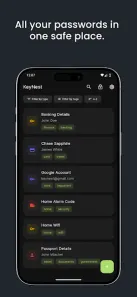
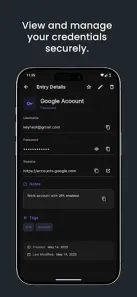
KeyNest is a password manager that keeps your passwords and other sensitive details encrypted on your own device.
There’s no account to create and no cloud to trust. Your vault is locked with a PIN, and you decide when to back it up.
Store passwords, credit cards, secure notes and identities, protected by your PIN.
Your vault is encrypted and stays on your device. No cloud sync required.
Create encrypted backups and restore them, or import and export to move between devices.
Generate a password inside the app instead of making one up yourself.
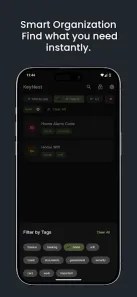
Search, tags, favorites and colors keep a big vault easy to browse.
On your device. KeyNest does not need cloud sync, so your vault stays on your phone.
The vault is encrypted with AES-256 and locked with your PIN.
Yes. You can create encrypted backups and restore them later, or import and export your data to move to a new device.
Yes. KeyNest is free to download and shows ads.
A clean Markdown editor for notes, drafts and journals.
Write Markdown notes and switch to a clean preview, offline.
Find the big, old WhatsApp files taking up your phone, and clear only what you choose.

